
Vibe Coding 101—Shipping Software on Pure Vibes
How AI turns English into executable code—if you bring the engineering discipline.

This is going to be a more software-development, technical post of my explorations in AI assisted programming (= vibe coding). It’s a current passion of mine, which is why I wanted to share my experiences but it may be less interesting to my less technical audience. Just a short warning: a bit of tech-jargon ahead. I’d recommend my previous pieces (posts 1 and 2) on AI as a more foundational starting point.
A quick story to set the vibe —from idea to native Mac app in 48 hours

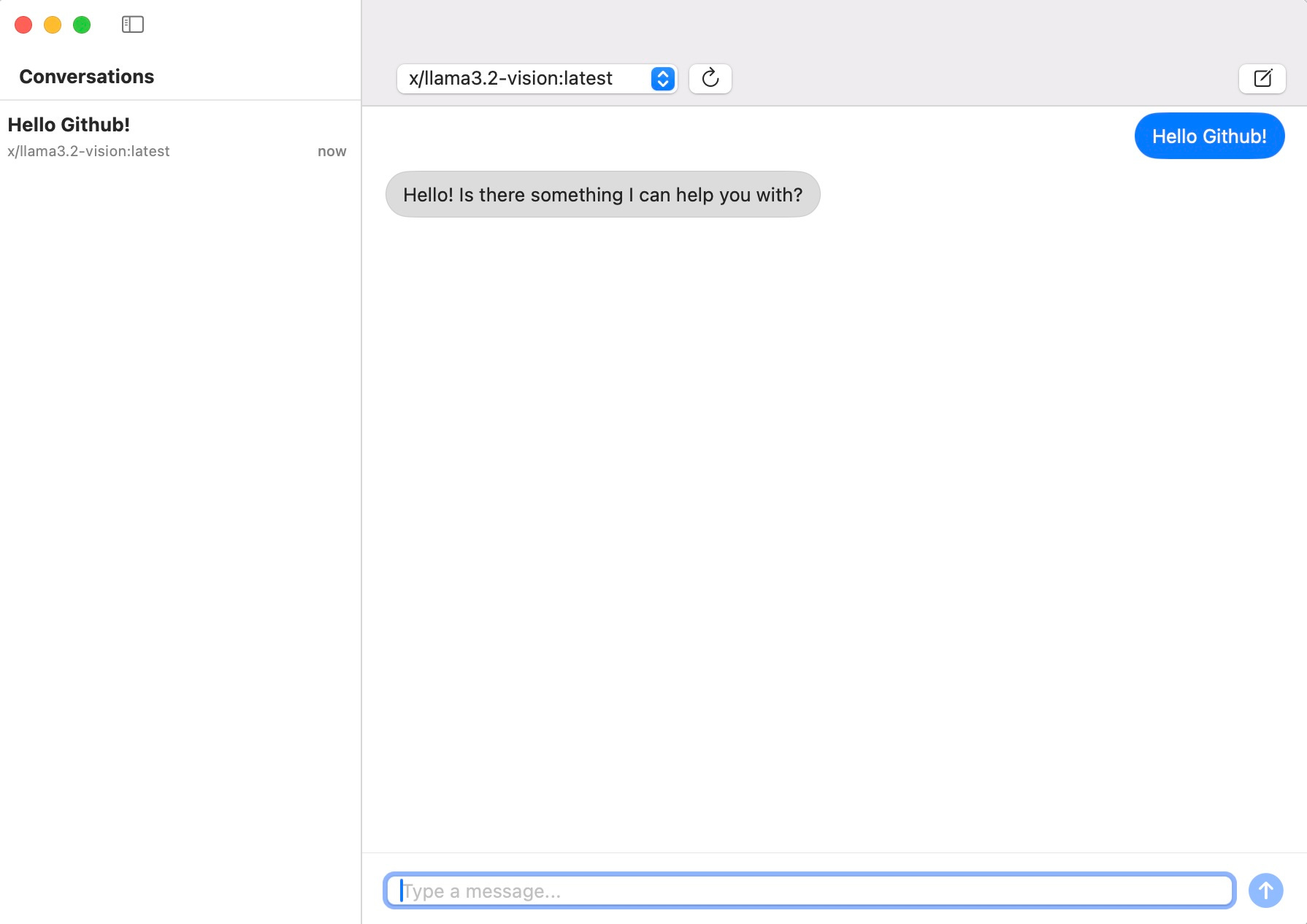
Two months ago I wanted a lightweight, privacy-preserving chat client for talking to local LLMs running on Ollama. The catch: the cleanest way to do this was a macOS-native Swift app - and the last time I touched Swift was never. Instead of slogging through UIKit docs, I opened Cursor, pasted a one-paragraph spec—“single-window app, dropdown for model selection, chat history, store chats on local disk”—and started vibe-coding.
Friday night: the AI scaffolded the Xcode project, created the SwiftUI views, and generated a simple networking layer to pipe prompts into ollama run.
Saturday: it iterated on UI polish and error handling while I prompted, “Center the send button,” “Stream tokens instead of waiting for the full response,” “Show a spinner whenever Ollama is busy.”
Sunday: it wrote unit tests and drafted a plan I could use to generate a .dmg to share the app with friends.
I never learned Swift; I simply steered the model with natural-language corrections and architectural nudges. By the time my family called me to dinner, the chat client was running, signed, and styled in San Francisco-light gray. That is vibe coding in the wild. If you want to check it out, here is the Github repo.
What is vibe coding?
It all started with this tweet.
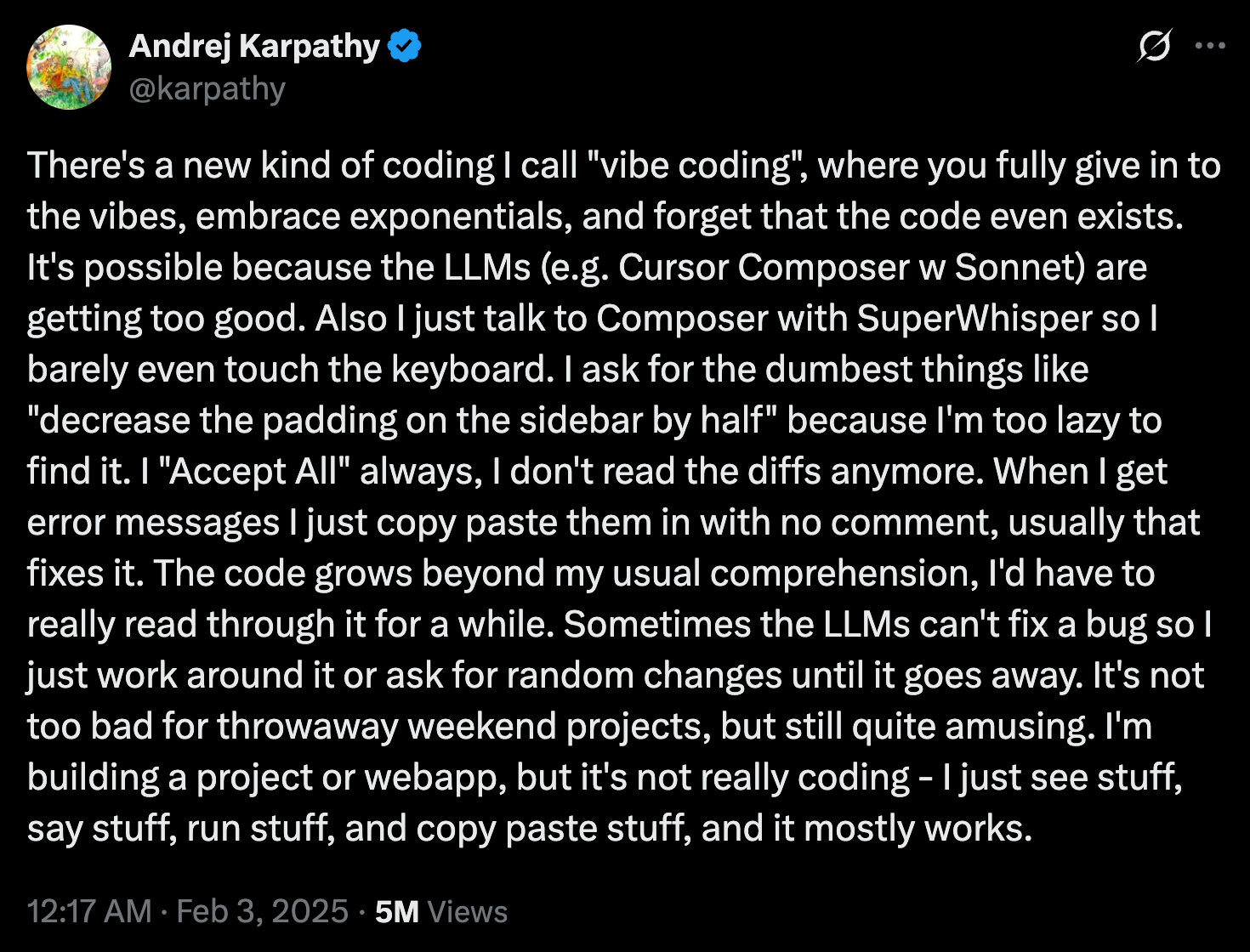
When Andrej Karpathy declared in early 2023 that “The hottest new programming language is English,” he wasn’t hyping autocomplete; he was pointing at a paradigm shift in who gets to program. For half a century, writing software meant mastering layers of syntax—C’s pointers, Java’s generics, Swift’s optionals—before you could ship anything. Today an LLM can internalise those layers for you.
In other words, the bottleneck moves up a level. The scarce skill is no longer “Do I remember how to declare a protocol in Swift?” but “Can I articulate product behaviour precisely, pick sensible abstractions, and recognise when the model’s suggestion violates them?” Natural language becomes the interface, architecture and domain modelling become the expertise.
That is why my chat-client experiment was feasible: I supplied product vision and architectural guard-rails; the model supplied the Swift code. Vibe coding doesn’t erase engineering knowledge—it re-allocates it away from syntax toward system design, quality control and context engineering.
The “context window” - an important constraint
Every large language model keeps a sliding “working memory” called the context window. It is measured in tokens—roughly four characters of English (depending on the model that is used)—and includes, in our example, our chat conversation messages and code base. Anthropic’s documentation describes it as the text the model can “look back on and reference when generating new text,” very different from the vast static corpus it was trained on.
OpenAI’s mid-2025 lineup illustrates the spread: GPT-4o mini ships with 128 000 tokens of context, enough for around 80 000 words, while GPT-4.1 Turbo in the API has jumped to a million tokens in specialized workloads. Even those eye-watering numbers shrink fast once you feed in a handful of Markdown specs, half a dozen source files, the model’s own answers, and your follow-up questions. Worse, most IDE plug-ins do not pass your entire repository; they clip the prompt to a smaller budget so that autocomplete stays snappy. What is out of view is literally out of mind—the model cannot reliably mention, refactor, or test a symbol that scrolled out of the context window. It simply doesn’t know about it anymore.
Why context engineering matters
When my Ollama companion reached a few hundred lines, the assistant quietly forgot about an early helper function. I asked it to stream tokens in real time, it rewrote the networking layer, and suddenly the markdown renderer crashed on every multiline reply. The AI tried to patch the crash by creating another folder with multiple files which broke the compiler, and so on. This brittle loop—fix, break, apologize, repeat—is the symptom of context drift. As projects gain complexity, critical pieces drop outside the model’s working memory, so each “fix this” prompt proceeds with an incomplete picture and introduces fresh side-effects. The experience feels less like pair-programming and more like playing whack-a-mole blindfolded.
The cure is context engineering: treat documentation, architectural decisions, and tests as first-class prompt material. Instead of diving straight into code, I now begin every serious vibe-coding session by giving the model a polished product-requirements document, an architecture sketch, and a checklist of invariants it must never violate. I ask it to keep a map of the project updated. I store those artefacts in a place the assistant can query on demand, then design feedback loops—unit tests, integration clicks, CI pipelines—that verify each suggestion before it lands.
The next section will unpack that workflow, but the key idea is simple: vibe coding is not about typing less code; it is about building a system of guard-rails that lets an AI write code safely on your behalf.
Test-driven development keeps the vibes on track
An LLM’s greatest strength is fearless code generation; its greatest weakness is the ease with which it forgets earlier constraints. Automated tests are the feedback channel the model respects absolutely—they turn vague “don’t break anything” pleas into executable yes-or-no questions.
I learned TDD alongside vibe coding itself. The recipe that now works for me is straight out of the red–green–refactor playbook, but every step is AI-assisted:
Start with the spec, not the test file. When the model sees a product-requirements document and an architecture diagram, it already knows the boundaries it must defend.
Ask the model to draft the failing tests first. Modern models such as Claude Sonnet 4 and Gemini 2.5 Pro excel at generating clear, assertion-rich unit and integration tests because they can keep the spec, the code stub, and the testing framework in the same very large context window.
Run the tests and let the model make them pass. Each green bar gives the AI permission to move forward; each red bar sends it back with concrete error messages instead of vague bug reports.
Lock the suite into your continuous-integration workflow. Every subsequent prompt that changes the code is followed automatically by the test run. If the model’s latest “clever” refactor breaks an invariant, the pipeline blocks the merge before bad code ships.
The up-front cost is a few extra prompts and some token spend, but the pay-off is dramatic. Instead of playing whack-a-mole with regression bugs, I watch the model bounce against a wall of failing tests until it converges on a fix—or admits defeat and asks for new requirements. Tests are the guard-rails that turn raw vibes into reliable software.
Hands-on guide—choosing your first vibe-coding assistant
If you want to get started with a vibe coding tool, I’ve compiled a short list of popular tools. I have no affiliation whatsoever.
Cursor is my daily driver. It wraps a full Visual-Studio-Code-derived IDE around an autonomous “Agent Mode” that can explore your repo, open documentation, edit files, and run terminal commands on its own. You retain complete control: every suggested change appears as a diff that you can accept, tweak, or reject. When a task is bigger than a single autocomplete, I hand it to the agent—“add feature flags behind an environment variable”—and watch it plan, edit, and test until the checklist turns green.
GitHub Copilot is the quickest taste of vibe coding if you already live in VS Code. Install the extension, enjoy a free tier with generous monthly completions, and chat in a side panel about the code right in front of you. It is less autonomous than Cursor—there is no full-repo agent yet—but the tight GitHub integration makes it perfect for everyday autocomplete, docstring generation, and small refactors. After the trial, the Pro plan is still the cheapest on-ramp for serious use.
Claude Code is the new favorite of command-line aficionados. You initialise it in a repo, and from then on you converse entirely through your shell: “refactor the authentication flow,” “write Jest tests for all utils,” “explain why the last commit fails on Node 20.” The tool shines on sprawling projects because it inherits Claude’s 200-thousand-token working memory and can hold an architectural diagram, a dozen source files, and your prompt in a single request. Integrations with VS Code and JetBrains are emerging, but the CLI remains its home turf.
All three tools will let you experience the paradigm shift that Karpathy’s tweet foreshadowed, but they emphasise different strengths:
Choose Cursor if you want an AI-first IDE that can run autonomous multi-file missions yet always shows its work.
Choose GitHub Copilot if you need an inexpensive, friction-free autocomplete companion inside the editor you already use.
Choose Claude Code if your project is huge, you love living in the terminal, or you want to experiment with bleeding-edge chain-of-thought prompts at scale.
My own preference is Cursor because it lets me combine tight control over every commit with the thrill of watching an agent refactor half a dozen files while I sip coffee. Your mileage may vary—try them all and see which one matches your workflow.
Conclusion — why the vibes are worth the discipline
When I dipped my toe into vibe coding about six months ago, the tools were still rough. My first experiment was nothing more glamorous than a tiny Python routine that multiplied two matrices. Even that felt like sorcery back then, when code appeared from some simple instructions. Since then the assistants have matured at astonishing speed. They now stream entire file trees, reason across frameworks, and chat with me about architectural trade-offs as if they were senior colleagues.
That progress has been a double-edged gift. On one hand the barrier to entry has collapsed. Weekend projects that would have taken me weeks of trial-and-error now spring to life in a single Saturday. Instead of wrestling with syntax, I spend my creative energy testing ideas. On the other hand the same power amplifies every mistake. The whack-a-mole bug cycles that followed from being lazy taught me more about context windows, dependency graphs, and test-driven development than any tutorial could.
Looking back, each misstep was part of the learning curve that vibe coding unlocks. I would never have bothered to learn continuous integration, contract tests, or context engineering if I had been limited to handwriting code in the cracks of a busy week. The assistants turned those abstract best practices into immediate, practical fixes for problems I had just created. The result is a virtuous loop: bigger ambitions, faster feedback, deeper understanding.
That is why I recommend vibe coding to anyone with a spark of curiosity about software. You no longer need to memorize language grammars before you can build something real. What matters is the clarity of your idea, the discipline of your guard-rails, and the willingness to iterate. If you can describe a product, you can prototype it. The hard part—the part that will keep distinguishing great builders—lies in framing the problem, choosing sensible abstractions, and writing tests that prove the system still does what you promised.
To get started, pick a modest goal. Write a concise product description, sketch the architecture in plain language, ask your chosen assistant to draft the tests first, and then let the vibes flow. You will ship more code than you expect, make every mistake at least once, and finish with a working project and a handful of new engineering skills. That trade-off—speed today, mastery tomorrow—is the real gift of vibe coding.